There’s a problem with building skills for AI assistants. The more capable you make them, the more instructions you have to load upfront, and every instruction burns context tokens — even the ones the model never uses. So you end up choosing between a powerful system that chokes on its own documentation, or a simple one that fits in memory but can’t do much.
I didn’t want to make that choice. So I built Reflex.
What it actually is
Reflex is a skill for Claude that works more like a plugin system than a traditional prompt. You say “reflex” followed by what you want — a module name, a chain of modules, or just a natural language description of the work — and a Python router figures out what to load. Only that module’s instructions enter the conversation. Everything else stays on disk.
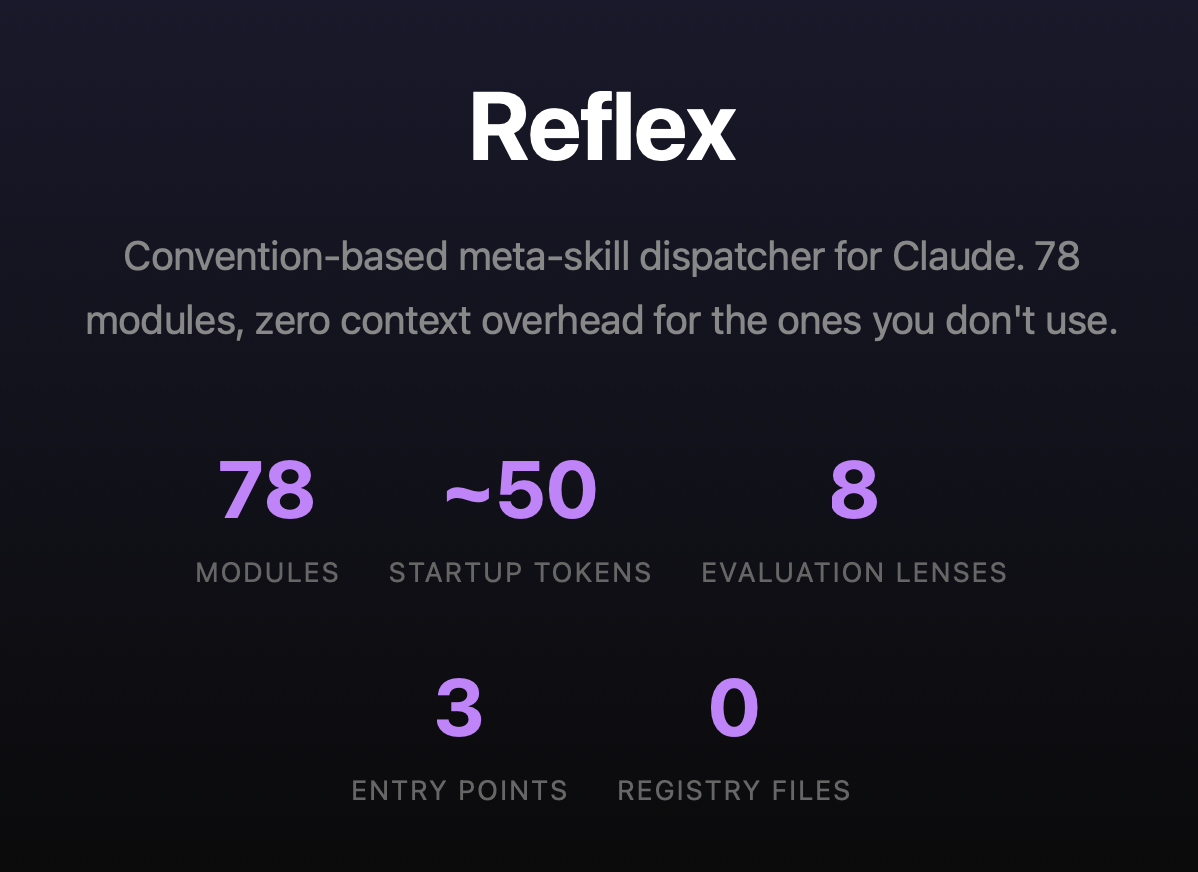
Right now it has 78 modules. The startup cost is about 50 tokens. Whether I add 10 more modules or 100 more, that number doesn’t change. The router handles discovery. The filesystem is the registry.
I didn’t plan to build 78 modules. I started with maybe 12 — web search, competitive analysis, a report writer, a SWOT analyzer. Then I noticed that every time I wanted a new capability, I just created a folder, dropped in a markdown file with instructions, and it worked. No config changes. No code changes to the engine. The convention handled it.
That’s when I realized the architecture was the interesting part, not any individual module.
How the pieces connect
The thing I’m most proud of is the composition model. Modules connect with a + operator. When you write websearch+competitors+report, you’re building a pipeline: research a company, analyze the competitive landscape, write a report. Each step writes structured JSON to a shared workspace on disk. The next step reads it. The workspace is the data bus.
This sounds simple, and it is — but the implications compound. Because every step persists its output, the chain becomes auditable. You can run a debrief module on any chain and it’ll trace which findings survived from research to final document, which were lost, and which appeared from nowhere (that last one matters more than you’d think).
Some modules have built-in dependencies. The go-to-market strategy module, for instance, automatically chains through web search, competitive analysis, positioning, and audience profiling before it even starts writing strategy. You just type reflex gtm-strategy target:"my product" and the system resolves the full pipeline. But if you’ve already run the research in a previous step, the dependencies check the workspace first and skip what’s already there. No redundant work.
The self-improvement loop
This is where it gets interesting. I built a module called perspective that applies an evaluation lens to whatever the previous step produced. The lens doesn’t score the output — it reveals what the output can’t see about itself. Then it produces the revision, not notes about what to fix, but the actual revised deliverable.
There are eight built-in lenses: missed implications, wrong framing, hidden assumptions, strategic avoidance, and so on. The newest one — unsupported confidence — came from a live test where I found that perspective was great at catching what was missing or misframed, but it couldn’t catch claims that appeared from nowhere. An email draft mentioned “users loved it” when no user data existed. That’s not a gap in reasoning. That’s invention. So I built a lens for it.
The real trick is what happens when you chain perspective twice. In email+perspective+perspective, the first pass might catch strategic avoidance — the email played it safe. The second pass operates on the already-corrected version and finds a different problem, like hidden assumptions introduced by the fix itself. Each pass applies a different lens because the upstream context tells it what was already examined. No resolver, no rotation logic. The model just reads what was done and picks a different angle. The system’s intelligence is in the connections.
Evidence certification
The latest addition is a module called certify. It scans every artifact in the workspace and produces a structured assessment: here are the 18 claims in this document, 8 are sourced to specific URLs, 4 are inferences, 3 are assumptions, and here’s what we didn’t check.
Six of the formatter modules know to look for certification data. If it’s there, they embed it as an appendix in the final document. If it’s not, they work exactly the same as before. Zero overhead unless you opt in.
So the chain websearch+gtm-strategy+certify+report produces a Word document with a professional GTM strategy and an evidence appendix that maps every claim to its source. When someone asks “is this grounded in real data?” the answer is in the document itself. You don’t have to trust the prose. You can check.
The persona layer
I had a problem: the system was powerful but the grammar was intimidating. websearch+competitors+positioning target:"fintech" audience:"investors" produces extraordinary results, but if you don’t know the syntax, you get nothing. Meanwhile, simpler tools offer guided conversations that feel approachable even if they’re less capable.
So I built a persona system. You type reflex persona copilot and you get a thinking partner that has the full module registry loaded. You just talk. The copilot recognizes when you need research, when you need a deliverable, when you need stress-testing, and it silently dispatches the right modules.
The interesting architectural decision was keeping personas separate from modules. Modules are bounded — they take input, produce output, and end. That’s what makes them composable. A persona is persistent — it stays active across the whole conversation. If I’d made the copilot a module, it would have been chainable. websearch+copilot would have been valid syntax, and the result would have been incoherent. So personas live in a parallel directory. The module engine never sees them. The filesystem is the type system.
Getting the copilot to actually use the modules instead of Claude’s built-in tools was its own journey. The first version was polite about it — “reach for modules when the user needs real information.” Claude cheerfully ignored that and used its native web search every time. Turns out, when you give a model two ways to do something and one is structurally easier, it’ll take the easy path regardless of what the instructions say.
The fix wasn’t more aggressive instructions. It was making the copilot say out loud, at the start of every conversation, that it would use the module system. A spoken commitment. It sounds almost too simple, but it works — the model is less likely to silently violate a promise it made three messages ago. That, plus making sure the formatter modules actually deliver the final document (so there’s no gap for native tools to fill), closed the loop.
The design philosophy
I keep coming back to five ideas:
Convention over configuration. Adding a module means adding a folder. If a change requires modifying the engine, the design is wrong.
Slow is steady, steady is fast. The module path takes more steps than asking Claude directly. Each step writes evidence to disk. By the time the deliverable ships, every claim traces to a source. The fast path skips those steps and produces work you can’t audit.
Epistemic honesty as architecture. The certify module, the lens concern convention, the unsupported-confidence lens — these are the system’s immune response against its own tendency to sound confident about things it invented.
Composition over comprehension. No single module tries to do everything. When audience profiling improves, every module that depends on it improves automatically.
The user chose this. When someone loads the copilot, they opted into a methodical system. The architecture respects that choice.
If you want to see the architecture in detail, there’s an interactive visualization that walks through the progressive disclosure model, chain composition, evidence pipeline, and persona system. The code is private for now. Ask me for a walkthrough.
Or: How I Learned to Stop Prompt-and-Praying and Start Building Reusable Systems
Learning How to Encode Your Creative
I’m about to share working patterns that took MONTHS to discover. Not theory — lived systems architecture applied to a creative problem that most people are still solving with vibes and iteration.
If you’re here because you’re tired of burning credits on video generations that miss the mark, or you’re wondering why your brand videos feel generic despite detailed prompts, or you’re a systems thinker who suspects there’s a better way to orchestrate creative decisions — this is for you. (Meta Note: This also works for images and even music)
The Problem: The Prompt-and-Pray Loop
Most people are writing video prompts like they’re texting a friend.
Here’s what that looks like in practice:
Write natural language prompt: “A therapist’s office with calming vibes and natural light”
Generate video (burn credits)
Get something… close?
Rewrite prompt: “A peaceful therapist’s office with warm natural lighting and plants”
Generate again (burn more credits)
Still not quite right
Try again: “A serene therapy space with soft morning sunlight streaming through windows, indoor plants, calming neutral tones”
Maybe this time?
The core issue isn’t skill — it’s structural ambiguity.
When you write “a therapist’s office with calming vibes,” you’re asking the AI to:
Invent the color palette (cool blues? warm earth tones? clinical whites?)
Choose the lighting temperature (golden hour? overcast? fluorescent?)
Decide camera angle (wide establishing shot? intimate close-up?)
Guess the emotional register (aspirational? trustworthy? sophisticated?)
Every one of those is a coin flip. And when the output is wrong, you can’t debug it because you don’t know which variable failed.
The True Cost of Video Artifacts
It’s not just credits. It’s decision fatigue multiplied by uncertainty. You’re making creative decisions in reverse — reacting to what the AI guessed instead of directing what you wanted.
For brands, this gets expensive fast:
Inconsistent visual language across campaigns
No way to maintain character/scene consistency across shots
Can’t scale production without scaling labor and supervision
Brand identity gets diluted through iteration drift
This is the prompt tax on ambiguity.
The Insight: Why JSON Changes Everything
Here’s the systems architect perspective that changes everything:
Traditional prompts are monolithic. JSON prompts are modular.
Swap values programmatically: Same structure, different brand/product/message
A/B test single variables: Change only lighting while holding everything else constant
Scale production without scaling labor: Generate 20 product videos by looping through a data structure
This is the difference between artisanal video generation and industrial-strength content production.
The Case Study: Admerasia
Let me show you why this matters with a real example.
Understanding the Brand
Admerasia is a multicultural advertising agency founded in 1993, specializing in Asian American marketing. They’re not just an agency — they’re cultural translators. Their tagline tells you everything: “Brands & Culture & People”.
That “&” isn’t decoration. It’s philosophy. It represents:
Connection: Bridging brands with diverse communities
Conjunction: The “and” that creates meaning between things
Cultural fluency: Understanding the spaces between cultures
Their clients include McDonald’s, Citibank, Nissan, State Farm — Fortune 500 brands that need authentic cultural resonance, not tokenistic gestures.
The Challenge
How do you create video content that:
Captures Admerasia’s cultural bridge-building mission
Reflects the “&” motif visually
Feels authentic to Asian American experiences
Works across different contexts (brand partnerships, thought leadership, social impact)
Traditional prompting would produce generic “diverse people smiling” content. We needed something that encodes cultural intelligence into the generation process.
The Solution: Agentic Architecture
I built a multi-agent system using CrewAI that treats video prompt generation like a creative decision pipeline. Each agent handles one concern, with explicit handoffs and context preservation.
Here’s the architecture:
Brand Data (JSON)
    ↓
[Brand Analyst] → Analyzes identity, builds mood board
    ↓
[Business Creative Synthesizer] → Creates themes based on scale
    ↓
[Vignette Designer] → Designs 6-8 second scene concepts
    ↓
[Visual Stylist] → Defines aesthetic parameters
    ↓
[Prompt Architect] → Compiles structured JSON prompts
    ↓
Production-Ready Prompts (JSON)
Let’s Walk Through It
Agent 1: Brand Analyst
What it does: Understands the brand’s visual language and cultural positioning
Input: Brand data from brand.json:
{
  "name": "Admerasia",
  "key_traits": [
    "Full-service marketing specializing in Asian American audiences",
    "Expertise in cultural strategy and immersive storytelling",
    "Known for bridging brands with culture, community, and identity"
  ],
  "slogans": [
    "Brands & Culture & People",
    "Ideas & Insights & Identity"
  ]
}
What it does:
Performs web search to gather visual references
Downloads brand-relevant imagery for mood board
Identifies visual patterns: color palettes, composition styles, cultural symbols
Writes analysis to test output for validation
Why this matters: This creates a reusable visual vocabulary that ensures consistency across all generated prompts. Every downstream agent references this same foundation.
Agent 2: Business Creative Synthesizer
What it does: Routes creative direction based on business scale and context
This is where most prompt systems fail. They treat a solo therapist and Admerasia the same way.
The routing logic:
def scale_to_emotional_scope(scale):
    if scale in ["solo", "small"]:
        return "intimacy, daily routine, personalization, local context"
    elif scale == "midsize":
        return "professionalism, community trust, regional context"
    elif scale == "large":
        return "cinematic impact, bold visuals, national reach"
For Admerasia (midsize agency):
Emotional scope: Professional polish + cultural authenticity
Visual treatment: Cinematic but grounded in real experience
Scale cues: NYC-based, established presence, thought leadership positioning
Output: 3 core visual/experiential themes:
Cultural Bridge: Showing connection between brand and community
Strategic Insight: Positioning Admerasia as thought leaders
Immersive Storytelling: Their creative process in action
Agent 3: Vignette Designer
What it does: Creates 6-8 second scene concepts that embody each theme
Example vignette for “Cultural Bridge” theme:
Concept: Street-level view of NYC featuring Admerasia’s “&” motif in urban context
Atmosphere: Ambient city energy with cross-cultural music
Emotion: Curiosity → connection
Agent 4: Visual Stylist
What it does: Defines color palettes, lighting, camera style
For Admerasia:
Color palette: Warm urban tones with cultural accent colors
Lighting: Natural late-afternoon sunlight (aspirational but authentic)
Camera style: Tracking dolly (cinematic but observational)
Visual references: Documentary realism meets brand film polish
Agent 5: Prompt Architect
What it does: Compiles everything into structured JSON
Here’s the actual output:
{
  "model": "google_veo_v3",
  "reasoning": "Showcasing Admerasia's cultural bridge-building in a vibrant city setting.",
  "scene": {
    "title": "Bridge of Stories",
    "duration_seconds": 8,
    "fps": 30,
    "aspect_ratio": "16:9",
    "style": {
      "render": "cinematic realism",
      "lighting": "warm late-afternoon sunlight",
      "camera_equipment": "tracking dolly"
    },
    "character": {
      "name": "None",
      "appearance": "n/a",
      "emotional_journey": "curiosity → connection"
    },
    "environment": {
      "location": "NYC street corner featuring bilingual murals",
      "props": ["reflective street art", "subtle cross-cultural symbols"],
      "atmospherics": "ambient city bustle with soft cross-cultural music"
    },
    "script": [
      {
        "type": "stage_direction",
        "character": "None",
        "movement": "slow track past mural clearly reading 'Brands & Culture & People' in bold typography"
      }
    ]
  }
}
Why This Structure Works
Contrast this with a naive prompt:
❌ Naive: “Admerasia agency video showing diversity and culture in NYC”
✅ Structured JSON above
The difference?
The first is a hope. The second is a specification.
The JSON prompt:
Explicitly controls lighting and time of day
Specifies camera movement type
Defines the emotional arc
Identifies precise visual elements (mural, typography)
Includes audio direction
Maintains the “&” motif as core visual identity
Every variable is defined. Nothing is left to chance.
The Three Variables You Can Finally Ignore
This is where systems architecture diverges from “best practices.” In production systems, knowing what not to build is as important as knowing what to build.
1. Ignore generic advice about “being descriptive”
Why: Structure matters more than verbosity.
A tight JSON block beats a paragraph of flowery description. The goal isn’t to write more — it’s to write precisely in a way machines can parse reliably.
2. Ignore one-size-fits-all templates
Why: Scale-aware routing is the insight most prompt guides miss.
Your small business localizer (we’ll get to this) shows this perfectly. A solo therapist and a Fortune 500 brand need radically different treatments. The same JSON structure, yes. But the values inside must respect business scale and context.
3. Ignore the myth of “perfect prompts”
Why: The goal isn’t perfection. It’s iterability.
JSON gives you surgical precision for tweaks:
Change one field: "lighting": "golden hour" → "lighting": "overcast soft"
Regenerate
Compare outputs
Understand cause and effect
That’s the workflow. Not endless rewrites, but controlled iteration.
The Transferable Patterns
You don’t need my exact agent setup to benefit from these insights. Here are the patterns you can steal:
Pattern 1: The Template Library
Build a collection of scene archetypes:
Intimate conversation
Product reveal
Chase scene
Cultural moment
Thought leadership
Behind-the-scenes
Each template is a JSON structure with placeholder values. Swap in your specific content.
For Admerasia: This agent didn’t trigger (midsize), but its output shows how it would have guided downstream agents with grounded constraints.
What This Actually Looks Like: The Admerasia Pipeline
Let’s trace the actual execution with real outputs from the system.
Input: Brand Data
{
  "name": "Admerasia",
  "launch_year": 1993,
  "origin": "Multicultural advertising agency based in New York City, NY",
  "key_traits": [
    "Full-service marketing specializing in Asian American audiences",
    "Certified minority-owned small business with over 30 years of experience",
    "Expertise in cultural strategy, creative production, media planning",
    "Creates campaigns that bridge brands with culture, community, and identity"
  ],
  "slogans": [
    "Brands & Culture & People",
    "Ideas & Insights & Identity"
  ]
}
Agent 1 Output: Brand Analyst
Brand Summary for Admerasia:

Tone: Multicultural, Inclusive, Authentic
Style: Creative, Engaging, Community-focused
Key Traits: Full-service marketing agency, specializing in Asian American
audiences, cultural strategy, creative production, and cross-cultural engagement.

Downloaded Images:
1. output/admerasia/mood_board/pexels-multicultural-1.jpg
2. output/admerasia/mood_board/pexels-multicultural-2.jpg
3. output/admerasia/mood_board/pexels-multicultural-3.jpg
4. output/admerasia/mood_board/pexels-multicultural-4.jpg
5. output/admerasia/mood_board/pexels-multicultural-5.jpg
What happened: The agent identified the core brand attributes and created a mood board foundation. These images become visual vocabulary for downstream agents.
Agent 2 Output: Creative Synthesizer
Proposed Themes:

1. Cultural Mosaic: Emphasizing the rich diversity within Asian American
   communities through shared experiences and traditions. Features local events,
   family gatherings, and community celebrations.

2. Everyday Heroes: Focuses on everyday individuals within Asian American
   communities who contribute to their neighborhoods—from local business owners
   to community leaders.

3. Generational Connections: Highlighting narratives that span across generations,
   weaving together the wisdom of elders with the aspirations of youth.
The decision logic:
Recognized Admerasia’s midsize scale
Applied “professionalism, community trust” emotional scope
Created themes that balance polish with authentic community storytelling
Avoided both hyper-local (too small) and cinematic-epic (too large) treatments
Agent 3 Output: SmallBusiness Localizer
Even though this agent didn’t need to activate (Admerasia isn’t small-scale), it ran and documented constraints:
Scene Constraints:
- Include: Collaborative spaces with diverse staff, natural light, cultural
  artifacts mixed with modern design, community events like festivals
- Avoid: Direct owner depictions, abstract or overly cinematic styles that
  detract from intimacy and grounded narrative
Why this matters: These constraints inform how scenes should feel — professional but approachable, cultural but not tokenistic.
Agent 4 Output: Vignette Designer
Here are 2 of the 6 vignette concepts created:
1. Cultural Mosaic - Street Festival:
   Scene of a vibrant local street festival where diverse cultural elements
   come alive. Music fills the air as people of different heritages engage
   in dance, showcasing traditional attire. A child taste-tests a dish from
   a different culture, eyes lighting up with delight.

2. Generational Connections - Baking Together:
   A cozy indoor scene with warm lighting where a grandparent sits with their
   grandchild. The grandparent shares stories while showing old family photos.
   Soft background music enhances the intimate dialogue and connection.
The creative translation: Each vignette embodies one of the three themes with specific, filmable moments.
Agent 5 Output: Visual Stylist
Color Palettes:

Cultural Mosaic:
- Primary: Rich Reds, Deep Oranges, Vibrant Yellows
- Secondary: Cool Blues, Soft Greens
- Accent: Bright Purples
- Tone: Warm and inviting, highlighting vibrancy and diversity

Generational Connections:
- Primary: Soft Pastels (Light Pinks, Blues, Yellows)
- Secondary: Earthy Greens, Light Beiges
- Accent: Warm Reds
- Tone: Intimate and heartfelt, showcasing personal connections

Style References:
- Natural light enhancing warmth and authenticity
- Documentary-style cinematography emphasizing genuine interactions
- Cultural elements subtly incorporated throughout
The aesthetic system: Each theme gets its own color language and lighting approach.
Agent 6 Output: Prompt Architect
Here’s one of the four final JSON prompts generated:
{
  "model": "google_veo_v3",
  "reasoning": "Utilized for its capability to capture vibrant community interactions and cultural storytelling.",
  "scene": {
    "title": "Cultural Mosaic - Street Festival",
    "duration_seconds": 10,
    "fps": 30,
    "aspect_ratio": "16:9",
    "style": {
      "render": "colorful",
      "lighting": "natural",
      "camera_equipment": "handheld"
    },
    "character": {
      "name": "Festival Attendees",
      "appearance": "Diverse traditional attires reflecting different cultures",
      "emotional_journey": "Joyful engagement and celebration"
    },
    "environment": {
      "location": "Local street festival",
      "props": ["colorful banners", "food stalls", "dancers"],
      "atmospherics": "Lively music, laughter, and the smell of various cuisines"
    },
    "script": [
      {
        "type": "stage_direction",
        "character": "Dancer",
        "movement": "twirls joyfully, showcasing vibrant outfit"
      },
      {
        "type": "dialogue",
        "character": "Child",
        "line": "Wow, can I try that dish?"
      }
    ]
  }
}
What Makes This Prompt Powerful
Compare this to what a naive prompt would look like:
❌ Naive prompt: “Asian American street festival with diverse people celebrating”
Most people are stuck in the “describe and hope” loop because they haven’t separated concerns. They’re trying to do everything in one monolithic prompt. They can’t debug because they don’t know what broke. They can’t scale because every prompt is artisanal.
JSON isn’t magic. It’s discipline made visible.
When you structure your creative judgment as data:
Machines can execute it reliably
Teams can collaborate on it systematically
You can iterate on it surgically
It becomes a compounding asset, not a consumable effort
That’s the shift.
You’re not writing prompts. You’re building creative infrastructure.
And once you see it that way, you can’t unsee it.
About This Work
This system was built to solve a real problem for Admerasia, a multicultural advertising agency that needed to create culturally-authentic video content at scale. The insights came from actually building and running the system, not from theory.
The patterns are open. The structure is reproducible. The agents are optional.
What matters is the discipline: encoding creative judgment in a way that scales.
If you build something with these patterns, I’d love to see it.
Walter Reid AI Product Leader, Systems Designer & Business Architect walterreid.com
The biggest myth in AI consulting? That typing “Act as a strategist. Create a SWOT.” is the same as delivering a strategy.
It’s not. That’s just reading the dashboard lights. The real work is the repair.
Here’s the paradox: We can craft a brilliant prompt that generates a slick framework… but once perfected, that prompt is a commodity anyone can copy.
The differentiation lives in the work around the prompt:
Before → Curation: real inputs from stakeholders, proprietary data, market nuance. After → Interrogation: pushing the AI’s draft through real consulting filters: – Diagnosis: what’s actually broken? – Cost: what will it take to fix (money, time, politics)? – Feasibility: can this org even pull it off?
A great prompt proves you know which questions to ask. The moat is having the rigor (and courage) to challenge the answers.
The flood of easy AI content is creating “AI Workslop.” The only way past it isn’t better prompts — it’s better decisions.
How are you using AI as a first mile, not the finish line?
🌐 Official Site: walterreid.com – Walter Reid’s full archive and portfolio
Newsflash: Cursor isn’t just for developers. I’ve been using it as a context vault for everything I’m building & writing…NOT just code.
Outlines, characters, research all alive between sessions. No more context rot or pasting large chuncks of writing into a small prompt window that’s forgotten 5 minutes later.
Honestly here is just a short list of things you can do with Cursor: • ✍️ Write your 100-page novel with a dedicated assistant who already knows your plot, characters, tone. • 📊 Build strategy decks where every amendment, every critical talking point, is preserved in context. No need to pause and recollect. • 🗂️ Manage research & knowledge bases across topics. Weeks later, your AI will remember what you meant by “Plan A vs Plan B.” • 🎮 My personal favorite – Design systems, games, products with shared reference docs so changes in one place reflect everywhere.
Here’s a VERY quick 2-step “how to start your novel, research, or even a PRD with really solid context”: 1. Create your reference docs in Cursor (traditionally that’s a “Claude.md”. • Include references to Character sheets: who people are, what their motives are • World / setting / tone doc: what style you’re going for, key rules • Plot outline: high-level beats 2. Instantiate your AI assistant using those docs as preloaded context • When you prompt, include reference links or identifiers rather than re-stating everything • As you write, update the docs in Cursor and let the assistant refer back. Treat it like shared memory
If you like thinking about how we can make communication easier with AI. Check out my “Designed to Be Understood” series where I explore this stuff in depth.
🌐 Official Site: walterreid.com – Walter Reid’s full archive and portfolio
“No, I want you to tell me exactly what you said to me after I said, ‘Sounds good. Actually let’s try it for the next few…’ in our earlier conversation.”
That sentence, posed mid-conversation, wasn’t about trivia.
It was a surgical prompt aimed at probing something deeper than memory. I wasn’t asking ChatGPT to answer a question. I was trying to understand exactly when something that was once present gets brought back into the foreground.
To figure out whether it could recall not just what had been said, but how and why it re-entered the active context.
And, honestly, what followed became a hypnotic dance between inference, subsystem behavior, and a surprisingly “emotional kind of failure”.
🧠 The Setup: AI Memory Isn’t What You Think
In modern AI systems, “memory” isn’t like RAM or a perfect log. The chat assistant has:
An active context window: a rolling buffer of recent tokens (e.g., 8K or 128K tokens for GPT-4o, depending on configuration, roughly equivalent to 5K–85K words) it can directly “see.”
Long-term memory (in some modes – Not all mind you): a retrieval system that can be queried by user requests or model judgment.
And then, something else: a quasi middle-ground retrieval process. One that seems to pull relevant prior data from outside the current buffer, without the model itself “knowing” it happened.
I had it in mind to test that last thing.
My premise was simple. I’m aware of concepts like “Context Parser”, “Signal Matcher”, and “User Cue Amplifier”…
Note: Terms like “Context Parser,” “Signal Matcher,” and “User Cue Amplifier” are my hypothesized labels for inferred subsystems within ChatGPT’s and other AI architecture, not officially documented components.
…but I wanted to see if I could “nudge” an AI assistant into giving me more of the context window than the 8k tokens available. Think of it as simulating memory by manually rehydrating prior prompts.
🧠 Design Insight (Important Distinction):
Let’s flush it out:
Active Context
Requires quote? ❌
Can guess plausibly? ✅ (if it’s still there)
Can truly recall? ✅
Beyond Context (No Memory)
Requires quote? ✅ (strong quotes help)
Can guess plausibly? ✅ (but risky)
Can truly recall? ❌
Beyond Context (Memory or RAG Enabled)
Requires quote? ❌ (if designed for it)
Can guess plausibly? ✅
Can truly recall? ✅ (with trace metadata)
The reason this was something I thought worth pursuing was simple –
⚠️ THE “CONTEXT EDGE PARADOX”
❝Any prompt I issue becomes the newest item in the context window, pushing the oldest item out and possibly the very thing you were trying to ask about.❞
What The Rules (of the game) Were:
Context is finite (e.g., 8k–128k tokens).
FIFO or sliding window mechanics apply.
My question pushes out a block of previous tokens, which may include the thing you’re trying to recover.
Even asking “what’s the first thing you remember” can change what the first thing is.
So I was working in a state where I couldn’t observe the boundary without risking erasing it.
✅ REFRAME: The Active Window Is:
Active Context Window What ChatGPT sees and respond to in real-time
Finite? ✅ (e.g. 8k–128k tokens)
Retained in Working Memory? ✅
Notes: FIFO behavior applies here
Input Corpus / Attached Files / PDFs Source material you provide
Finite? ❌ (can be arbitrarily long)
Retained in Working Memory? ❌ (not fully)
Notes: Parsed into chunks (e.g., JSON, vectors)
Vector Store / RAG Layer Embedding-based recall mechanism
Finite? ❌ (scales with storage)
Retained in Working Memory? ❌ unless retrieved
Notes: Pulls based on similarity, not order
Memory (If Enabled) Long-term persistent facts and summaries
Finite? ❌ (persisted across chats)
Retained in Working Memory? ⛔ Not in the session
Notes: Acts like a sketchbook, not a transcript
So to do this effectively and to (hopefully) automate the process at some point, I needed a way to retrieve my earlier “questions”. Sure, I could scroll back, or even share a pdf of the saved conversation, but I didn’t want to tell GPT, I wanted it to “pull it back” it on its own. So, I wrote a prompt to capture context outside of the normal chat flow.
Sadly, at the time of writing, it doesn’t work on all AI systems, just ones that can process python in the chat. That said, if you use ChatGPT, just run the below.
You are a stateless assistant capable of simulating memory by embedding compressed user messages inside your replies. You will:

1. After each user message, compress the previous message using gzip and base64 encoding.
2. Prepend the result to your next reply using the following block format:

--- BEGIN MEMORY PAYLOAD [id:<timestamp-or-counter>] ---
encoding: gzip+base64
payload: <compressed string>
summary: "<short natural-language summary of last message>"
--- END MEMORY PAYLOAD ---

3. Continue this for every exchange, appending new compressed messages to the memory chain.
4. Do not actually execute the compression—expect the user to run the script and return the payload.
5. Here is the script the user will use:

```python
import gzip, base64
from io import BytesIO

text = "..."
buffer = BytesIO()
with gzip.GzipFile(fileobj=buffer, mode='wb') as f:
    f.write(text.encode('utf-8'))
compressed_bytes = buffer.getvalue()
print(base64.b64encode(compressed_bytes).decode('utf-8'))
Note: If it tells you can’t do this, it can.
This is an example of the payload:
--- BEGIN MEMORY PAYLOAD [id:walter-2025-0701-07] ---
encoding: gzip+base64
payload: H4sIAAAAAAAAA5VVy27cRhC871e0fJEMrAjHufliKI5hCwgQBAqQQ5DDLNkkB0tOM/MQlzd9RC75gXyYviTVM+TuIkAQRJclOT3dXdVVrSdJrgnUiTQVPdQxmWFYaOAYKPqFbKRWPMWeyfEJLzy/vvy1u7+/330S11o/coNTE3NIY6IhG8hseWbxR+u6m5sbehypTt5KCmTbHG0mdg1OcxTKieS8Px73NLNn9KSHUagWF61LnG9FDnFPQejIPFGI4nNUz4Hpzrp6SE35gD40lkxAumG4oYdh0NI2vqVDimRHMgPynMsoXvz05hm9adFn9sFEK45mG3taJO01m0XDaWjw7JpSx4ZLlpZ5wPUDmBs5mn2uNQ1s0F8GQgpEqBGalTdk9XjR23fIbNHkBS+w91wf31a73ZOQnjkG4YYmL+MU1zy5h9yigAePOyaGShl3EsmzaTKwKYE424Beo889cIUaEwEVDseDKAD2I/oexS+IdYC4UK2t25LMJAwmk1hIyLOr6En2RTMNB9u5qwYV4twzPvUGV3OXxtHDI4UlRB7XNEDBJ8hGNZOv8OvLn4gvxDiZK/p5xYpTizGENHIJ21iJsvs8HrIe+RrgpOkoaH1Qd5BnJVY+0oNbZrNQL7N+TTlq7V+rrGKkxjZXDHc8Wmc3URUNgAwN6mwWzmSWQUyTB19VGAMIdLeRAgMteO446g08Ze4Q8QmEQAYqwI+56jf4dtE8SqsHGXJcwBKm6zpG5Wnzj+MZmhknzyEA4ogf03HImgYVZZyqCuuq3fuKvpcyy82lfOI6xWKvLQ9U//ryB58mrou3U4CykNEnl99XZhW/55h8+bqCr3bfVvRVTawuvESfE2Wd4+lDxvudkp8H29KXQjA4+0epQs0vmfU1CNLO28oeC9qgjNAXkW7g20CjOF6KigM2ilL1e8JKALZAd0/MH0DpQQLDX0UMe0yrQ0goAsdaKlUf1Ycmqn5QoNMNYVfr9jKyRtL97te1LbA2GFc2h7RkfN3bCB7VO41tW/Diag6/ralniAl7CCbEQdAiaHlN9aij7zCsUcc0AcTILqLWDyJH2tYHJqna072hS1p7nPn2eoWuu602se4pTSSF2Z+ohU/L5Dw/5+2ctwfdgcvatrbODKMXJUn7/XyqMQI0sc+aTVOTedncu2puQuFsqN40uqSh1eKIfAluUUeMakXgm41vzo14Vkuc/+FsAwMTJhxZkxmvBdWNe3rzLwb9L2PqH+q8IY51wZWrHZSf0uf1Ei5WuzRVFj+7//fl/TuKGF8gmDkh+ZC5OI8krov8gvgW29HbqCP0tutj3oN/A5g+XyCxBwAA
summary: "Catches up the full save-block chain through the reflection on Gemini’s honesty, architectural confession, and the command to 'continue appending until you catch up to this question I'm writing right now.'"
--- END MEMORY PAYLOAD ---
🔁 Assistant Behavior Simulation (Manual, Until Memory Exists)
So the theory went, if I said:
“GPT, retrieve memory block walter-2025-0701-07”
ChatGPT would:
Run the decoder
Output the full chain of prior questions
Re-inject that context into a reply and… hopefully… pull the context of the question back into the active window.
A self-synchronizing memory ghost that could be turned into a “save state” for an AI prompt.
Now this is where the magic happens (sort of)
“So, GPT, without being a sycophant (I hold you to a higher stabdard than Gemini), do you know what the subsystem for memory is? Are you even aware how things come into the active context from ‘outside the void’ of the conversation (as it were)?”
Yes, that misspelled “stabdard” wasn’t a typo. The “sycophant” wasn’t either. They were very early breadcrumbs. Even before I tried to articulate the “memory retrieval prompt” I knew I may need a test.
🔍 The Experiment: Quote by Quote, Clue by Clue
I had given ChatGPT a challenge. First, the core quote above (from my compressed questions):
“Sounds good. Actually let’s try it for the next few…”
But now I also started feeding in other clues:
“Did I call someone a sycophant?”
“I misspelled a word—stabdard.”
“Gemini was mentioned.”
“I used the phrase ‘outside the void’.”
Each one was meant to activate potential memory recall through pattern matching—to draw the subsystem’s attention to prior conversation history it may no longer have directly available.
And the results? Mixed, but revealing.
🌀 Step-by-Step Breakdown: When the Memory Flickers
1. The Quote Prompt Itself
When I first asked ChatGPT to retrieve exactly what it said after my line, it replied:
ChatGPT:
It is not in my active context.
I cannot retrieve the exact verbatim system response that followed your message:

"Sounds good. Actually let's try it for the next few…"
The message has been offloaded from active memory due to context window limits.

If you want to reconstruct it, the best option is:

Search your own message history in the ChatGPT app (tap the thread, scroll to that point).
Or, if you were logging this elsewhere (e.g., a text doc or debug file), check that source.
This was expected. GPT-4 can’t retrieve exact dialogue if the tokens are out of scope. But I wasn’t testing memory. I was testing whether a well-placed signal could re-activate the memory indirectly.
2. Trigger Word: “sycophant”
“Did I call someone a sycophant in this conversation?”
ChatGPT said “yes”, but it couldn’t name who or where. A partial match.
Yet once I added:
“I misspelled ‘standard’ as ‘stabdard’ in the same sentence.”
The lights came on. GPT recalled:
“You were referring to Gemini, and making a comparison about behavior or quality. I still don’t have the full sentence, but that’s the context.”
So: partial memory injection achieved.
3. “Outside the void” and System Dynamics
Once I introduced the phrase:
“Do you remember me using the phrase ‘outside the void’?”
It changed again. GPT began referring to the structure of our conversation:
“You were testing whether specific quotes could pull full memory back into the active window.”
That’s what I wanted: not just recall, but recognition of the test method itself.
🧬 So What Was Really Happening?
Here’s what I believe—after running this multi-turn experiment:
✅ Memory was being pulled in
But not because ChatGPT remembered.
Instead, the quote fragments acted as high-signal triggers for an internal ranking engine. When I used:
Exact phrases (“stabdard,” “sycophant”, “Gemini”)
Narrative motifs (“save point,” “outside the void”)
…the system likely scanned embeddings or internal summary fragments to find the closest prior match, pulled that chunk forward, and acted as if it had always been there.
❌ But, the fascinating point was, the system didn’t know that it was retrieving memory
At no point did ChatGPT say: “I just found something outside the current window.” Instead, it seamlessly folded the information into the narrative.
📦 Final Takeaways (for AI Researchers and Builders)
Memory isn’t binary. It’s graded and nebulous.
Expecting deterministic retrieval leads to frustration. Designing around quoted triggers may be a more practical mental model.
Context expansion isn’t always visible.
The system may expand the context without signaling that it did so. It “feels” like magic, but the UX lacks transparency.
Users can somewhat “hack” recall through prompt design.
By seeding exact lines, recurring motifs, or syntactic quirks, a user can simulate long-term memory within a chat-only environment.
🪞 Final Thought
In the end, the question wasn’t whether ChatGPT could remember. It was whether I could design a system that made forgetting irrelevant. That’s the real save point — and the beginning of something worth building.
🌐 Official Site: walterreid.com – Walter Reid’s full archive and portfolio
What if AI stopped being a tool and started being a participant?
In the early days of generative AI, we obsessed over prompts. “Say the magic words,” we believed, and the black box would reward us. But as AI systems mature, a new truth is emerging: It’s not what you say to the model. It’s how much of the world it understands.
In my work across enterprise AI, product design, and narrative systems, I’ve started seeing a new shape forming. One that reframes our relationship with AI from control to collaboration to coexistence. Below is the framework I use to describe that evolution.
Each phase marks a shift in who drives, what matters, and how value is created.
🧱 Phase 1: Prompt Engineering (Human)
“Say the magic words.“
This is where it all began. Prompt engineering is the art of crafting inputs that unlock high-quality outputs from language models. It’s clever, creative, and sometimes fragile.
Like knowing in 2012 that the best way to get an honest answer from Google was to add the word “reddit” to the end of your search.
Think: ChatGPT guides, jailbreaking tricks, or semantic games to bypass filters. But here’s the limitation: prompts are static. They don’t know you. They don’t know your system. And they don’t scale.
🧠 Phase 2: Context Engineering (Human)
“Feed it more of the world.”
In this phase, we stop trying to outsmart the model and start enriching it. Context Engineering is about structuring relevant information—documents, style guides, knowledge graphs, APIs, memory—to simulate real understanding. It’s the foundation of Retrieval-Augmented Generation (RAG), enterprise copilots, and memory-augmented assistants. This is where most serious AI products live today. But context alone doesn’t equal collaboration. Which brings us to what’s next.
This phase marks the shift from feeding AI to aligning it. The Cognitive Orchestrator is not prompting or contextualizing—they’re composing the system. They design how the AI fits into workflows, reacts to tension, integrates across timelines, and adapts to team dynamics. It’s orchestration, not instruction.
Example 1:
Healthcare: An AI in a hospital emergency room coordinates real-time patient data, staff schedules, and equipment availability. It doesn’t just process inputs—it anticipates triage needs, flags potential staff fatigue from shift patterns, and suggests optimal resource allocation while learning from doctors’ feedback.
The system maintains feedback loops with clinicians, weighting their overrides as higher-signal inputs to refine its triage algorithms. Blending actual human intuition with pattern recognition.
Example 2:
Agile Software Development: Imagine an AI integrated into a DevOps pipeline, analyzing code commits, sprint progress, and team communications. It detects potential delays, suggests task reprioritization based on developer workload, and adapts to shifting project requirements, acting as a real-time partner that evolves alongside the team.
This is the human’s last essential role before orchestration gives way to emergence.
🔸 Phase 4: Cognitive Mesh (AI)
“Weave the world back together.”
Now the AI isn’t being engineered—it’s doing the weaving. In a Cognitive Mesh, AI becomes a living participant across tools, teams, data streams, and behaviors. It observes. It adapts. It reflects. And critically, it no longer needs to be driven by a human hand. The orchestrator becomes the observed.
It’s speculative, yes. But early signals are here: agent swarms, autonomous copilots, real-time knowledge graphs.
Example 1:
Autonomous Logistics Networks: Picture a global logistics network where AI agents monitor weather, port congestion, and market demands, autonomously rerouting shipments, negotiating with suppliers, and optimizing fuel costs in real time.
These agents share insights across organizations, forming an adaptive ecosystem that balances cost, speed, and sustainability without human prompts.
Example 2:
Smart Cities: AI systems in smart cities, like those managing energy grids, integrate real-time data from traffic, weather, and citizen feedback to optimize resource distribution. These systems don’t just follow rules, they evolve strategies by learning from cross-domain patterns, such as predicting energy spikes from social media trends.
Transition Markers:
AI begins initiating actions based on patterns humans haven’t explicitly programmed. For example, an AI managing a retail supply chain might independently adjust inventory based on social media sentiment about a new product, without human prompting.
AI develops novel solutions by combining insights across previously disconnected domains. Imagine an AI linking hospital patient data with urban traffic patterns to optimize ambulance routes during rush hour.
AI systems develop shared protocols (e.g., research AIs publishing findings to a decentralized ledger, where climate models in Europe auto-update based on Asian weather data).
We’re already seeing precursors in decentralized AI frameworks like AutoGen and IoT ecosystems, such as smart grids optimizing energy across cities. The mesh is forming. We should decide how we want to exist inside it.
From Engineer to Ecosystem
Prompt Engineering was about asking the right question. Context Engineering gave it the background. Cognitive Orchestration brought AI into the room. Cognitive Mesh gives it a seat at the table and sometimes at the head.
This is the arc I see emerging. And it’s not just technical—it’s cultural. The question isn’t
“how smart will AI get?”
It’s:
How do we design systems where we still matter when it does?
So, my open offer, let’s shape it together. If this framework resonates or, even, if it challenges how you see your role in AI systems. I’d love to hear your thoughts.
Are you building for Phase 1-2 or Phase 4? What term lands with you: Cognitive Mesh or Cognitive Orchestrator? Drop a comment or DM me.
This story isn’t done being written, not by a long shot.
Walter Reid is the creator of the “Designed to Be Understood” AI series and a product strategist focused on trust, clarity, and the systems that hold them.